Epic: Kids' Books & Reading
- 3.9
- Rating
- 10.00M
- Installs
- Free
- Price

 Analysis by App-foxy
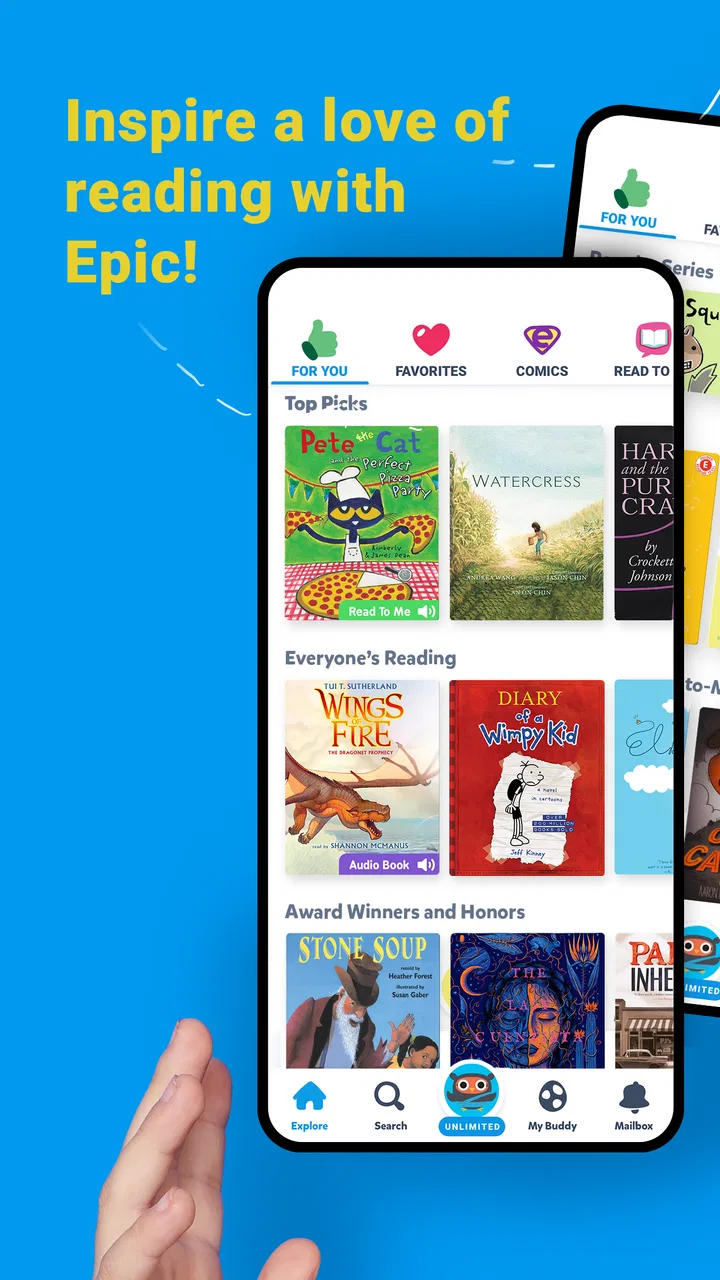
I found Epic: Kids' Books & Reading most useful when I treated it less like a one-time distraction and more like a small reading shelf that needed regular attention. The app is aimed at grade-school children, combining ebooks, read-to-me titles, stories, and videos in one education-focused space. That mix makes the first few sessions easy to enjoy, but the more important question is whether it still helps after the novelty wears off. In my experience, its lasting value depends on how deliberately a parent or child uses it.
Epic Kids Inc. has built an app that feels approachable for children who are still developing reading confidence. It is free to install, rated for Everyone, and available on devices running Android 7.0 or later. The broad age rating makes it easy to consider for a shared family device, although the child’s reading level and the way the app is supervised matter more than the label alone.
How Epic Holds Up Beyond the First Few Sessions
I look beyond the initial appeal of a broad reading shelf and consider what helps it remain useful as a child’s habits change. In this section, I focus on small ways to make browsing more purposeful without turning every session into a lesson. That also sets up a closer look at how different reading styles and everyday circumstances affect the experience.
You May Also Like

 Blood Strike: 2.5 Anniversary
Blood Strike’s Loadouts Turn Every Drop Into a Tactical Gamble
A close look at Blood Strike’s custom loadouts: how fast access to signature weapons reshapes its battle royale rhythm, rewards preparation, and narrows the gap between fights.

 Pandora - Music & Podcasts
Pandora’s Music Is Easy to Start, but Harder to Recover
Pandora’s strength is its low-effort path from a seed to a station. Its weak spot is how much confidence it asks you to place in connection, setup, and quiet recovery.

 8 Ball Pool
 Is Built on Rivalries, Rematches, and Routine
A close look at the rivalries, rematches, shared routines, and unanswered safety questions that turn a quick pool match into a persistent mobile community.

 Samsung Music
’s Quiet Strength Is Playing What You Already Own
Its reach comes less from spectacle than from dependable access to a personal library. That simplicity is both the app’s strongest retention engine and its ceiling.

 AccuWeather: Weather Radar
AccuWeather Review: A Quick, Clear Forecast for Everyday Decisions
For everyday plans, the best forecast is the one you can understand quickly. AccuWeather makes rain timing, radar, and local conditions easy to act on, with a few trade-offs.

 Hill Climb Racing
Why Hill Climb Racing Still Turns Crashes Into One More Run
A tiny car, a bumpy hill and one more upgrade: Hill Climb Racing keeps resurfacing because its simple chaos makes every near-miss feel personal.
More From Our News Desk



The first week: easy discovery, quick wins, and a lot to browse
The strongest part of the first week is the low barrier to starting. A child does not need to understand a complicated lesson structure before opening a book. They can move from a read-to-me experience to an ebook, a story, or a video without leaving the general learning environment. That variety is especially helpful when a child wants to read but has limited patience for a single format.
I also like the way the different formats can support different levels of independence. A child who is not ready to read every page alone can listen first. Another child may prefer to explore text independently and use video as a change of pace. This makes the app more flexible than a traditional digital bookshelf that assumes every child wants the same kind of reading session.
The first-week appeal is not only about entertainment. A parent can use a short session to identify what actually draws a child toward books. Does the child choose stories, factual material, read-to-me titles, or videos? That observation is more useful than simply asking whether the app is enjoyable. It can reveal whether the child needs audio support, shorter reading tasks, or more freedom to choose.
One practical routine worked better for me than handing over the device without direction: I would let the child choose the format, but set a small goal such as finishing one story section or listening to one complete title. This kept browsing from replacing reading. Epic makes discovery inviting, but the abundance of choices can otherwise turn the session into repeated tapping between covers.
The app’s average rating is 4.0 from around 90 thousand ratings, and it has passed 10 million installs. Those figures suggest that Epic has reached a substantial audience, but they should not be mistaken for a guarantee that every child will connect with it. A child who dislikes screen reading may still resist it, while a child who enjoys choice can become engaged quickly.
Using the app with different kinds of young readers
Epic is at its best for families with children who need encouragement rather than rigid instruction. A reluctant reader may respond well to being able to move between listening and looking at the page. A confident reader may appreciate having many directions to explore without waiting for an adult to select every title.
It can also help in a mixed-age household, but not in exactly the same way for everyone. Younger children may benefit from read-to-me material and short stories, while older grade-school children may use the ebook collection more independently. I would still preview the experience for each child, because a large library can be empowering for one reader and overwhelming for another.
For a child who needs formal phonics practice, handwriting work, or a carefully sequenced curriculum, this is not a complete replacement for a dedicated learning program. Its strength is access to reading material and related media, not a promise that every foundational skill will be taught in a fixed progression. That distinction matters when parents are choosing between a reading library and an instructional course.
A realistic after-school scenario
Imagine a child arriving home tired but needing a calmer activity before dinner. A parent could offer a choice between a read-to-me story and an ebook rather than insisting on a full lesson. The child listens to part of a story, follows along with the pages, and later returns to the same subject through another title or video. That is a reasonable use of Epic because it keeps the session light while still placing reading at the center.
The same situation can go badly if the child spends the entire time browsing. My advice is to agree on the choice before opening the app: one story, one reading period, or one topic to explore. The app supplies the material, but the adult supplies the boundaries. This small habit makes a noticeable difference to whether Epic feels educational or merely screen-based.
The second month: recurring value comes from routine
After the initial excitement fades, the app needs a purpose. I would not rely on novelty alone, because even a large selection eventually feels familiar when a child keeps opening the same types of content. The recurring value comes from using Epic as a dependable reading option at specific moments: a quiet period after school, a weekend reading block, or a short listening session before bed.
A useful monthly pattern is to alternate freedom and guidance. Let the child choose freely on some days, then suggest a subject, format, or reading challenge on others. This prevents the library from becoming a random stream of familiar choices. It also gives parents a clearer sense of whether the child is expanding their interests or simply returning to the easiest material.
I found that topic-based browsing can make the service feel fresher than title-based browsing. Instead of asking a child to pick any book, I might suggest exploring animals, space, friendship, or another current interest. The point is not to invent a feature the app does not advertise; it is to use the breadth of its books, stories, and videos as a prompt for a more focused conversation.
Epic has particular value when a child’s motivation changes from day to day. On a low-energy day, read-to-me content can keep contact with stories alive. On a stronger day, an ebook can encourage more independent reading. A video can introduce a subject that later leads to a book. That flexibility is more durable than an app that offers only one fixed exercise type.
Still, parents should not assume that regular access automatically creates a reading habit. The child may need reminders, a comfortable place to use the device, and an adult who occasionally talks about what was read. A simple question such as “What surprised you?” is often more valuable than asking whether the child finished a title.
What maintenance looks like in everyday use
The maintenance burden is moderate rather than invisible. The app itself may offer enough material to keep a child interested, but the household still needs to manage time, choice, and expectations. If the device is shared, adults should decide when the child can use it and whether browsing is independent. Without that structure, Epic can compete with games, videos, and unrelated apps for attention.
Parents should also keep an eye on the balance between listening and reading. Read-to-me content is useful support, but if a child always chooses audio, the app may become passive entertainment. I would use listening as a bridge: hear a story first, then revisit a page or section by reading it together. That approach preserves the accessibility of audio without letting it replace every opportunity to practice.
The free price makes trying the app straightforward, but in-app purchases range from $0.99 to $89.99 per item. That is the point at which an adult should take over account decisions and review the purchase flow carefully. A child-friendly reading experience should not mean that a child is also responsible for deciding what can be bought. I would establish a clear family rule before regular use, especially on a shared device.
The current version is 3.141.19, and the developer is Epic Kids Inc. Those details matter mainly when maintaining an older device or checking whether the app remains compatible with the family’s setup. Since the minimum operating system is Android 7.0, many older Android devices may be suitable, but performance can still vary from one device to another. I would test it on the actual device a child will use rather than assuming that compatibility alone guarantees a smooth experience.
Where fatigue begins
The biggest source of fatigue is choice overload. A child may open the app intending to read and spend several minutes deciding what to open. Adults can reduce this by preparing a short list of acceptable choices or by naming a theme in advance. The more often a child gets lost in browsing, the more likely Epic becomes a menu to navigate instead of a place to read.
Format switching can also weaken concentration. Moving from a story to a video and then back to another story may feel lively, but it does not always produce sustained reading. I would use the video material as a supplement rather than the default destination, particularly when the goal is to build stamina with text.
Another limitation is that a digital library cannot fully replace the physical experience of books. Paper books make it easier to see progress, share a page across a sofa, and remove the temptation to switch apps. Epic is more convenient and varied, but families who already have a strong home library may find that the digital collection works best as an addition rather than the center of reading time.
Children who need a tightly measured pathway may also become frustrated. Epic’s appeal is breadth and accessibility, while a structured literacy program may be better for tracking a specific skill sequence. If a teacher or specialist has assigned targeted practice, I would use Epic alongside that work, not assume that browsing its library covers the same educational purpose.
How it compares with familiar alternatives
Compared with a standard ebook reader, Epic offers a broader mixture of read-to-me books, stories, and videos in one child-oriented environment. That makes it more inviting for children who are not ready to commit to silent reading. The trade-off is that a dedicated ebook reader usually creates fewer distractions and may feel better suited to uninterrupted reading.
Compared with a physical library, Epic offers immediate variety and easier access when a family cannot visit a branch or carry several books. A public library, however, encourages a different kind of discovery and gives children the tactile experience of choosing from real shelves. I would not frame one as a total substitute for the other; the strongest routine may use Epic for convenience and physical books for slower, shared reading.
Compared with a formal educational app, Epic feels less like a lesson plan and more like a reading environment. That is a benefit for children who shut down when every activity feels like a test. It is a weakness for families looking for explicit progression, frequent skill checks, or a narrow focus on decoding and comprehension. Choosing between them depends on whether the immediate need is motivation and access or systematic instruction.
Small habits that improve the long-term experience
My first tip is to separate discovery time from reading time. Give the child a short opportunity to choose, then close the search process and stay with the selected title. This preserves the fun of browsing without allowing it to consume the entire session.
My second tip is to use the formats in sequence rather than at random. A child might listen to a story, look back at a favorite page, and then explain one idea aloud. That turns read-to-me content into an active reading exercise and gives the adult a simple way to notice understanding without turning the moment into a quiz.
My third tip is to rotate the role of the app. Some weeks it can be a quiet independent activity; other weeks it can support a family topic, such as finding books connected to something the child is learning. This prevents the app from becoming background noise and gives its library a reason to remain relevant.
Finally, I would review the routine once a month. Ask whether the child is reading more willingly, choosing a wider range of material, or simply spending longer in front of the screen. If the answer is only the last one, reduce the session length or return to physical books for a while. Epic should earn its place through useful reading behavior, not through automatic daily access.
Who should keep it, and who should move on
I would recommend Epic to families wanting a flexible digital reading shelf for grade-school children, especially when read-to-me support can help a child approach books with less pressure. It is also a good fit for households that value choice and want stories, ebooks, and videos available in the same education app.
I would be more cautious for families seeking a complete literacy curriculum, strict progress tracking, or a screen-free reading routine. Children who become distracted by menus and videos may do better with a single physical book or a simpler ebook tool. The same is true for a child who already reads independently and prefers a quiet, uninterrupted experience.
After the first week, Epic feels promising. After a month, it becomes worthwhile only when an adult gives it a place in the family routine. Its enduring strength is not that it removes the work of encouraging children to read; it gives parents more ways to make that encouragement fit the child’s mood and ability.
My final view is positive but measured: Epic earns lasting space when it is used as a guided reading resource, not as an unlimited screen-time substitute. The free entry point, Everyone rating, and broad mix of formats make it easy to try, while the purchase range means adults should manage account decisions carefully. If your child benefits from choice, audio support, and frequent changes of subject, this app can remain useful well beyond its first burst of novelty. If your priority is a tightly sequenced course or distraction-free reading, another option may serve you better.
FAQs for Epic: Kids' Books & Reading
01What age group is Epic: Kids' Books & Reading suitable for?
Epic is designed for children aged 12 and under. It offers a wide range of books, audiobooks, and educational videos tailored to different age groups and reading levels, ensuring that there is engaging content for toddlers, preschoolers, and older children alike.
02Is the content on Epic educational and safe for kids?
Yes, Epic provides a safe and educational environment for children. All content is curated by educators and experts to ensure it is age-appropriate and enriching. The platform features a variety of genres and subjects that promote learning and literacy development.
03Can Epic be accessed offline?
Absolutely! Epic offers an offline mode that allows users to download books and read them without an internet connection. This feature is particularly useful for traveling or when internet access is limited, ensuring uninterrupted reading experiences for kids.
04Does Epic require a subscription, and what are the costs involved?
Epic operates on a subscription model. While it offers a free version with limited access, a monthly subscription provides unlimited access to the full library. Pricing varies, but there are often promotions and discounts available for educators and schools.
05How can parents track their child's progress on Epic?
Epic includes a feature that lets parents monitor their child's reading habits and progress. Parents can view which books have been read, the time spent reading, and comprehension quizzes taken, allowing them to support and guide their child's reading journey effectively.
Pros
- Expansive library with diverse genres.
- Interactive features enhance learning.
- Offline reading mode available.
- Parental controls are robust.
- Age-appropriate content for kids.
Cons
- Subscription required for full access.
- Limited free content available.
- Requires stable internet for updates.
- No multilingual options yet.
- App size may be large for some devices.

Epic: Kids' Books & Reading
Gallery